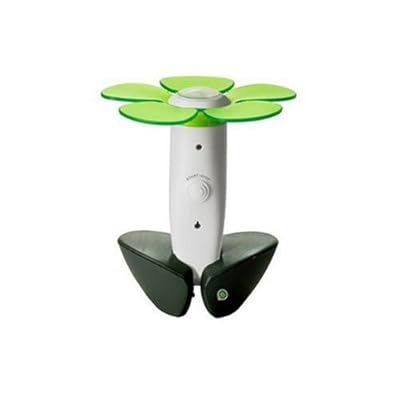
Having a green thumb has never been easier thanks to this cool device called Easy Bloom. It makes a cool gift for that horticultural/geek friend on your gift list, too. This ingenious flower shaped in-ground sensor reads and analyzes growing conditions in specific spots inside your home or in your yard. It measures sunlight, temperature, humidity, soil moisture and drainage. It even uses the same technology used on NASA's Mars Phoenix mission to measure the soil. After a minimum of 24 hours, you just plug it into your computer USB port and watch as it turns readings into recommendations, listing plants sure to flourish in your exact environment. Narrow your search more by specifying desired bloom color or season, plant height, drought tolerant, deer resistance, and other factors.
So here's how it works:
1. Set It
Plug the EasyBloom Plant Sensor into a USB port--you will be brought to your My EasyBloom Dashboard page. Put the sensor into Recommend or Monitor mode.
2. Place Sensor
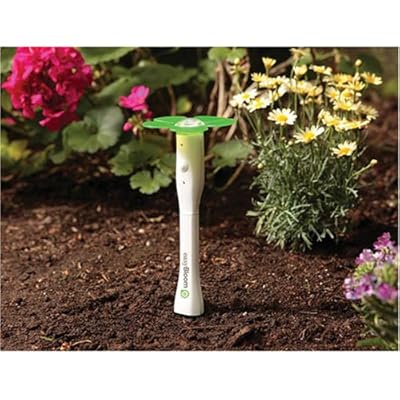
Place the sensor in a spot where you would like to grow a plant, or adjacent to the plant that needs monitoring. Let the EasyBloom Plant Sensor gather a ‘plant's eye’ view of that location.
3. Plug It In
After 24 hours, plug the sensor into your USB port. Sensor data is uploaded to the EasyBloom website where algorithms are run that will either recommend a plant or diagnose what is wrong with an ailing plant.
4. Get Results
When in Recommend mode, the EasyBloom website will present a set of plants that will thrive in that location. In Monitor mode, you will be told what is going wrong with a plant with visual cues on how to fix it.
5. Enjoy
Sit back and enjoy flourishing plants.
Gardening made easy is JUST COOL! You can
get the EasyBloom here at Amazon.com






 Posts
Posts


